

Printing high-quality images on PU film for signage is a specialized process that combines the right materials, equipment, and techniques. As a PU film supplier, I've witnessed firsthand the growing demand for high-quality signage in various industries, from retail and hospitality to events and exhibitions. In this blog post, I'll share some insights on how to achieve exceptional results when printing images on PU film.
Understanding PU Film
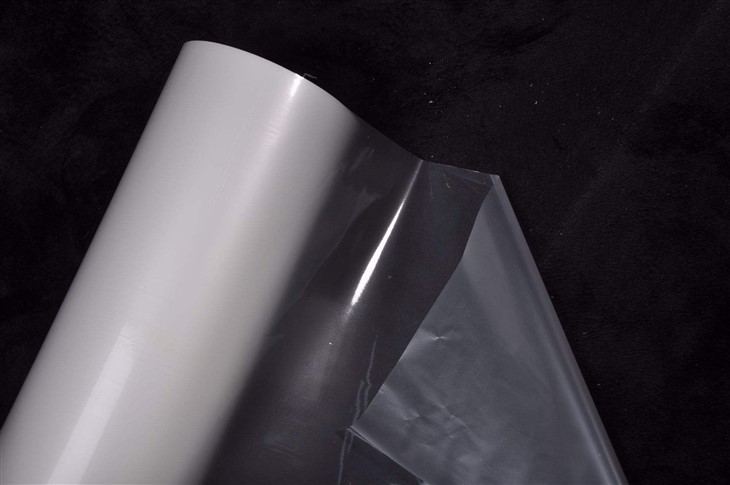
PU film, or polyurethane film, is a versatile material known for its durability, flexibility, and excellent chemical resistance. It comes in different types, including PU Transparent FILM and Pu-Nylon-Film, each with its unique properties and applications. Transparent PU film is ideal for backlit signage, while Pu-Nylon-Film offers enhanced strength and abrasion resistance, making it suitable for outdoor and high-traffic areas.
Choosing the Right PU Film
The first step in printing high-quality images on PU film is selecting the appropriate type of film for your project. Consider the following factors:
- Application: Determine whether the signage will be used indoors or outdoors, and if it will be backlit or front-lit. This will help you choose a film with the right level of transparency, opacity, and durability.
- Image Quality: High-resolution images require a film with a smooth surface and good ink adhesion. Look for a film that is specifically designed for printing and has a high gloss or matte finish, depending on your preference.
- Environmental Conditions: If the signage will be exposed to extreme temperatures, humidity, or UV radiation, choose a film that can withstand these conditions without fading, cracking, or peeling.
Preparing the Image
Once you've selected the right PU film, it's time to prepare your image for printing. Here are some tips to ensure optimal results:
- Resolution: Use high-resolution images with a minimum of 300 DPI (dots per inch) to ensure sharp and clear prints. Low-resolution images may appear pixelated or blurry when printed on a large scale.
- Color Correction: Adjust the colors of your image to match the desired output. Use a color management system to ensure consistency across different printing devices and materials.
- Image Size: Ensure that your image is the correct size for the signage. Consider the aspect ratio and the dimensions of the film to avoid any distortion or cropping.
Selecting the Printing Method
There are several printing methods available for printing images on PU film, each with its own advantages and limitations. The most common methods include:
- Digital Printing: Digital printing is a popular choice for printing high-quality images on PU film. It offers fast turnaround times, variable data printing capabilities, and the ability to print on a wide range of film thicknesses and sizes. Digital printers use inkjet or laser technology to apply ink directly to the film, resulting in sharp, detailed prints with vibrant colors.
- Screen Printing: Screen printing is a traditional printing method that involves creating a stencil (or screen) of the image and then applying ink to the film through the gaps in the stencil. Screen printing is suitable for large-scale prints and offers excellent color saturation and durability. However, it can be more time-consuming and expensive than digital printing, especially for small print runs.
- Flexographic Printing: Flexographic printing is a high-speed printing method that uses a flexible relief plate to transfer ink to the film. It is commonly used for printing on flexible materials, such as PU film, and offers good image quality and efficiency. Flexographic printing is suitable for large print runs and can be used to print on a variety of film surfaces, including textured and embossed films.
Preparing the Printing Equipment
Before printing, it's important to prepare your printing equipment to ensure optimal performance and print quality. Here are some steps to follow:
- Clean the Printer: Regularly clean the printer's print head, rollers, and other components to remove any dirt, dust, or ink residue. This will prevent clogging and ensure smooth ink flow.
- Calibrate the Printer: Calibrate the printer to ensure accurate color reproduction and consistent print quality. Follow the manufacturer's instructions for calibrating the printer and use a color calibration target to verify the accuracy of the colors.
- Test the Printing Settings: Before printing the final image, perform a test print on a small piece of PU film to evaluate the print quality and adjust the printing settings as needed. Pay attention to factors such as ink density, print speed, and resolution.
Printing the Image
Once you've prepared the image, selected the printing method, and prepared the printing equipment, it's time to print the image on the PU film. Here are some tips to ensure a successful print:

- Use the Right Ink: Choose an ink that is specifically designed for printing on PU film. Different types of ink have different adhesion properties and drying times, so it's important to select the ink that is compatible with your printer and the type of film you're using.
- Follow the Printing Instructions: Follow the manufacturer's instructions for loading the film into the printer, setting the printing parameters, and operating the printer. Pay attention to factors such as film orientation, print direction, and print quality settings.
- Monitor the Printing Process: During the printing process, monitor the printer closely to ensure that everything is running smoothly. Check for any signs of ink smudging, streaking, or misalignment, and make adjustments as needed.
Post-Printing Finishing
After printing the image on the PU film, you may need to perform some post-printing finishing steps to enhance the durability and appearance of the signage. Here are some common finishing techniques:
- Laminating: Laminating the printed film with a clear protective layer can help to improve the scratch resistance, UV resistance, and overall durability of the signage. Choose a laminate that is compatible with the type of film and ink you're using, and follow the manufacturer's instructions for laminating.
- Cutting and Shaping: Cut the printed film into the desired shape and size using a cutting plotter or a laser cutter. This will allow you to create custom-shaped signage that fits your specific requirements.
- Mounting: Mount the printed film onto a substrate, such as a rigid board or a frame, to provide additional support and stability. Choose a mounting method that is appropriate for the type of signage and the location where it will be installed.
Troubleshooting Common Issues
Even with the best preparation and techniques, you may encounter some common issues when printing images on PU film. Here are some tips for troubleshooting these issues:
- Ink Adhesion: If the ink is not adhering properly to the film, try cleaning the film surface with a mild detergent or a solvent, and then dry it thoroughly before printing. You may also need to adjust the printing settings or use a different type of ink.
- Color Fading: If the colors of the printed image are fading over time, it may be due to exposure to UV radiation or other environmental factors. Consider using a UV-resistant ink or a laminate with UV protection to prevent color fading.
- Printing Defects: If you notice any printing defects, such as streaks, smudges, or blurry images, check the printer's print head, rollers, and other components for any dirt, dust, or ink residue. Clean the printer and perform a test print to see if the issue is resolved.
Conclusion
Printing high-quality images on PU film for signage requires a combination of the right materials, equipment, and techniques. By following the tips and guidelines outlined in this blog post, you can achieve exceptional results and create stunning signage that will enhance your brand and attract customers.
As a PU film supplier, we are committed to providing our customers with the highest quality products and exceptional customer service. If you have any questions or need further assistance with your printing project, please don't hesitate to contact us. We look forward to working with you to create the perfect signage for your business.
References
- "Polyurethane Film: Properties, Applications, and Processing" - Journal of Applied Polymer Science
- "Printing Techniques for Flexible Packaging Materials" - Flexo Printing Technical Association
- "Color Management in Digital Printing" - International Association of Printing Technologies